
Logging and tracking
Record the day and let the hours add up on their own.
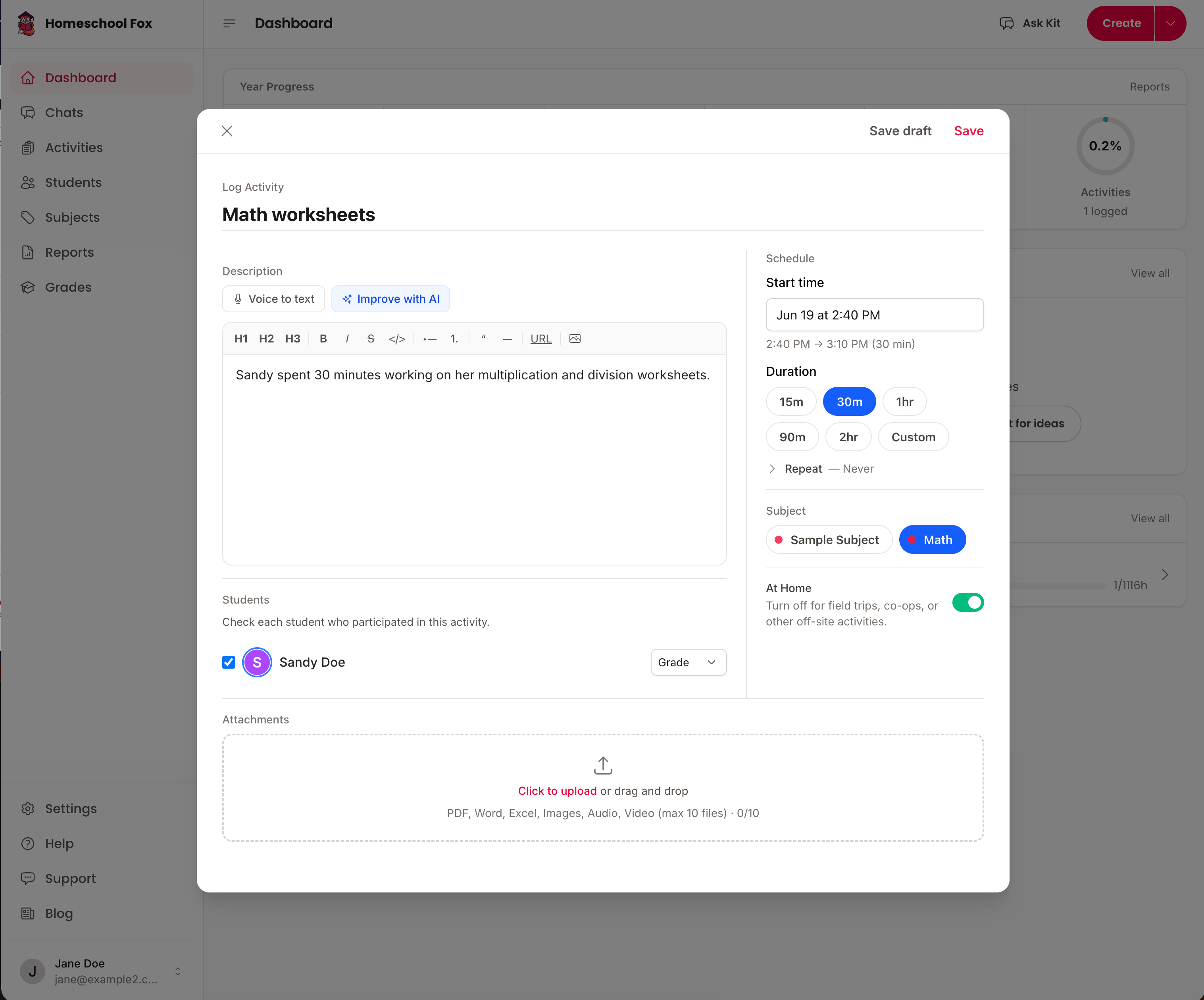
- Activity logging
- Log what you did with notes, start and end times, and a duration that fills itself in.
- Calendar view
- See the week at a glance. Drag an activity to move it, stretch it to change the length, or click a blank slot to add one.
- Hours and attendance
- Total, core, and non-core hours are tallied for you, and every logged day counts toward attendance.
- Recurring activities
- Set a lesson to repeat daily, weekly, or monthly and it lands on the calendar without retyping.
- Activity drafts
- Save a half-finished entry as a draft and come back to it later.
- Search and filter
- Find any activity by student, subject, date range, or keyword.
Students and goals
One account for the whole family, with a target for each child.
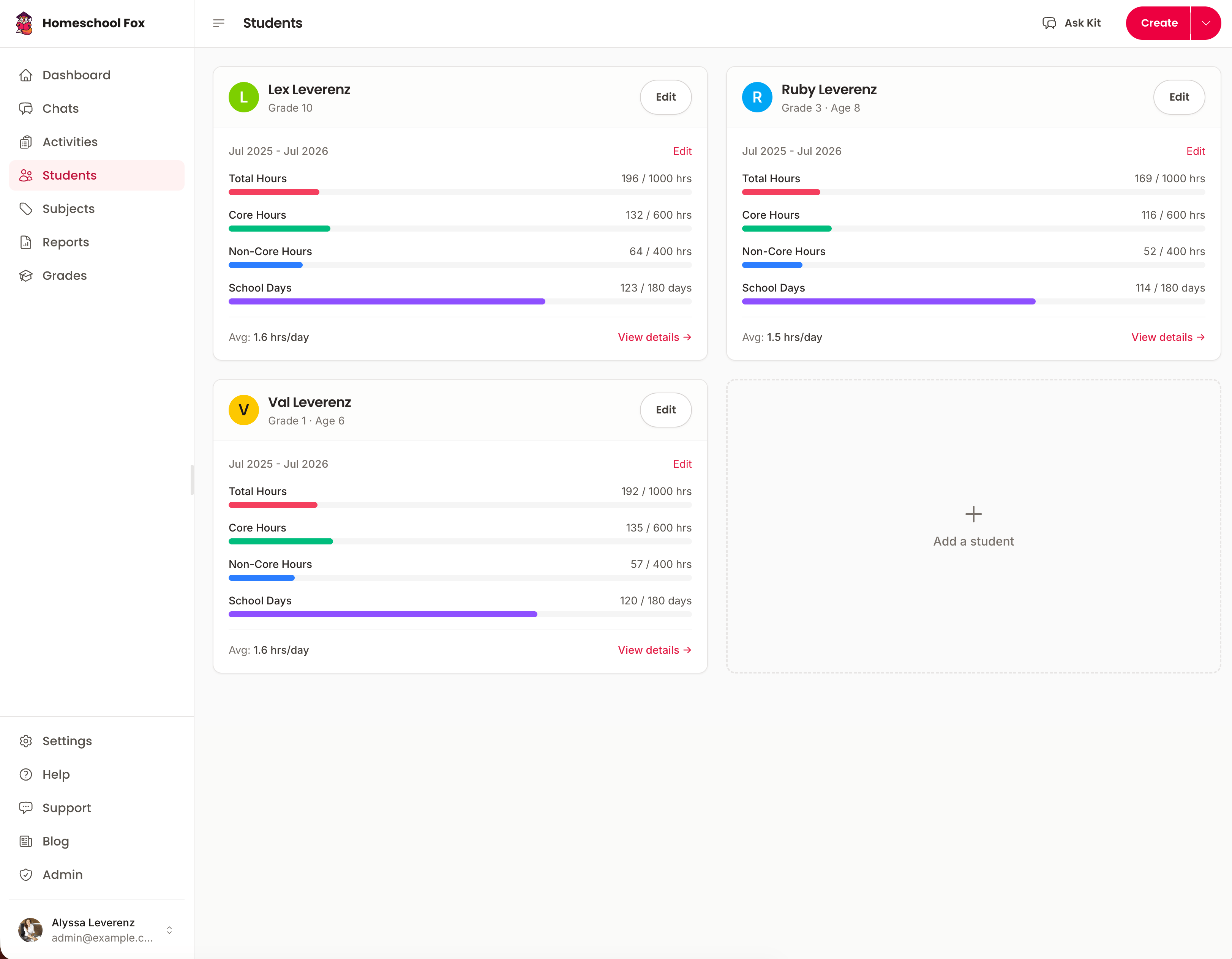
- Multiple students
- Add every child to one account. One price covers the whole family, with no per-student fees.
- Custom subjects
- Create your own subjects, give each a color, and mark which ones count as core.
- Yearly goals
- Set hour and day targets from your state’s rule and track progress toward each one.
- Progress dashboard
- See how close each student is to the year’s requirement, and whether they are on pace to finish.
- Student profiles
- Keep a photo, grade level, and notes for each child.
- Attendance per student
- Mark which children took part in each activity, so siblings on different schedules get accurate records.
State compliance
Your state’s rules, built into the app.
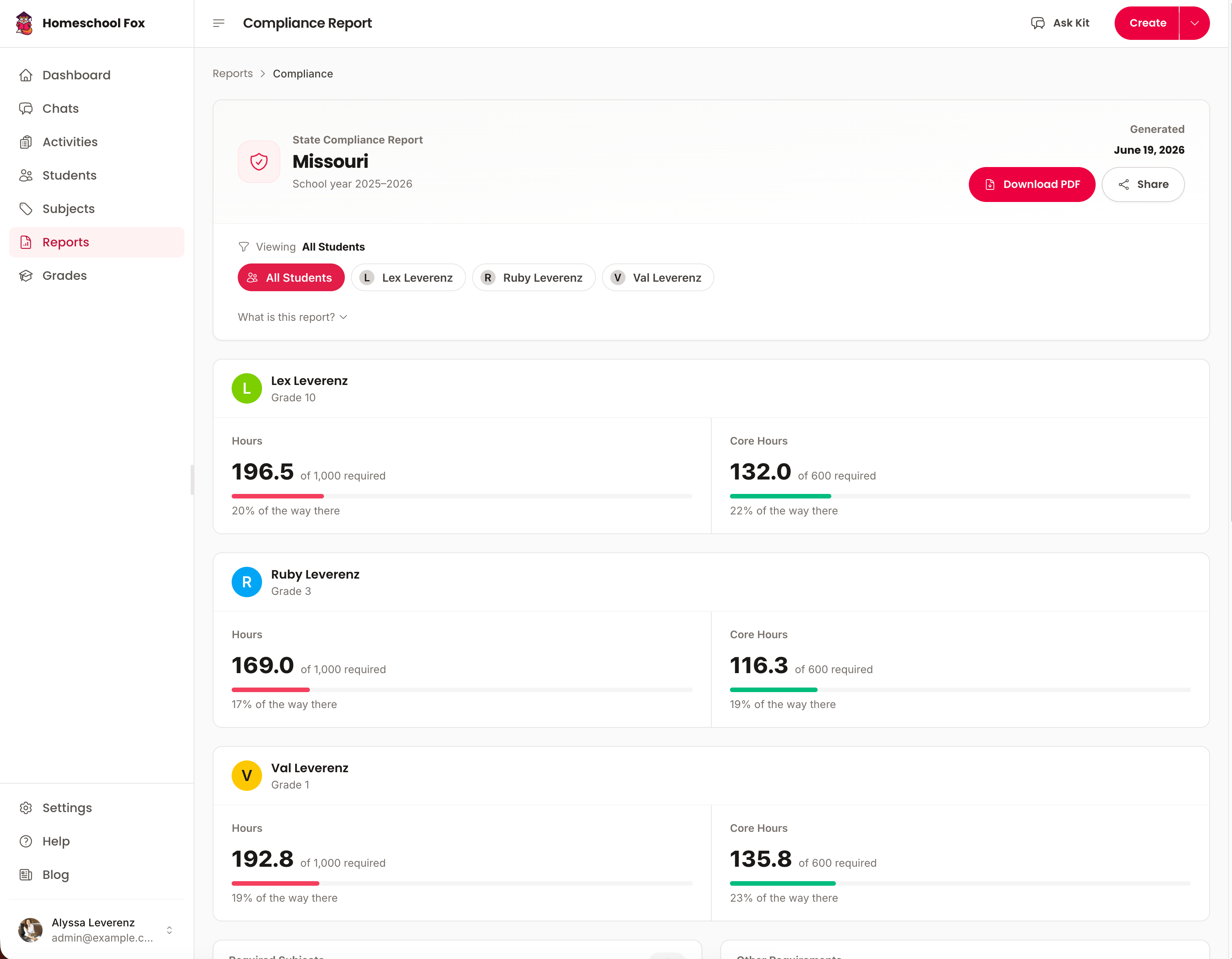
- State requirements
- See the hours, days, subjects, and notice rules your state expects.
- Subject coverage
- A checklist shows which required subjects you have covered this year and which still need time.
- Compliance alerts
- Get a heads-up when a student falls behind pace or a required subject has gone untouched.
- Portfolio requirements
- Know what your state expects in a portfolio review or evaluation before the meeting is on the calendar.
- Assessment tracking
- See when standardized tests or evaluator reviews are due in your state.
- Compulsory age info
- Know the ages your state requires reporting for, so you start and stop on time.
AI logging and planning
Say what happened and the assistant logs it.
- Quick add by text
- Type “2 hours of math, fractions” and the activity is created with the right subject and duration.
- Quick add by voice
- Say the day out loud on your phone. Useful in the car or with a toddler on your hip.
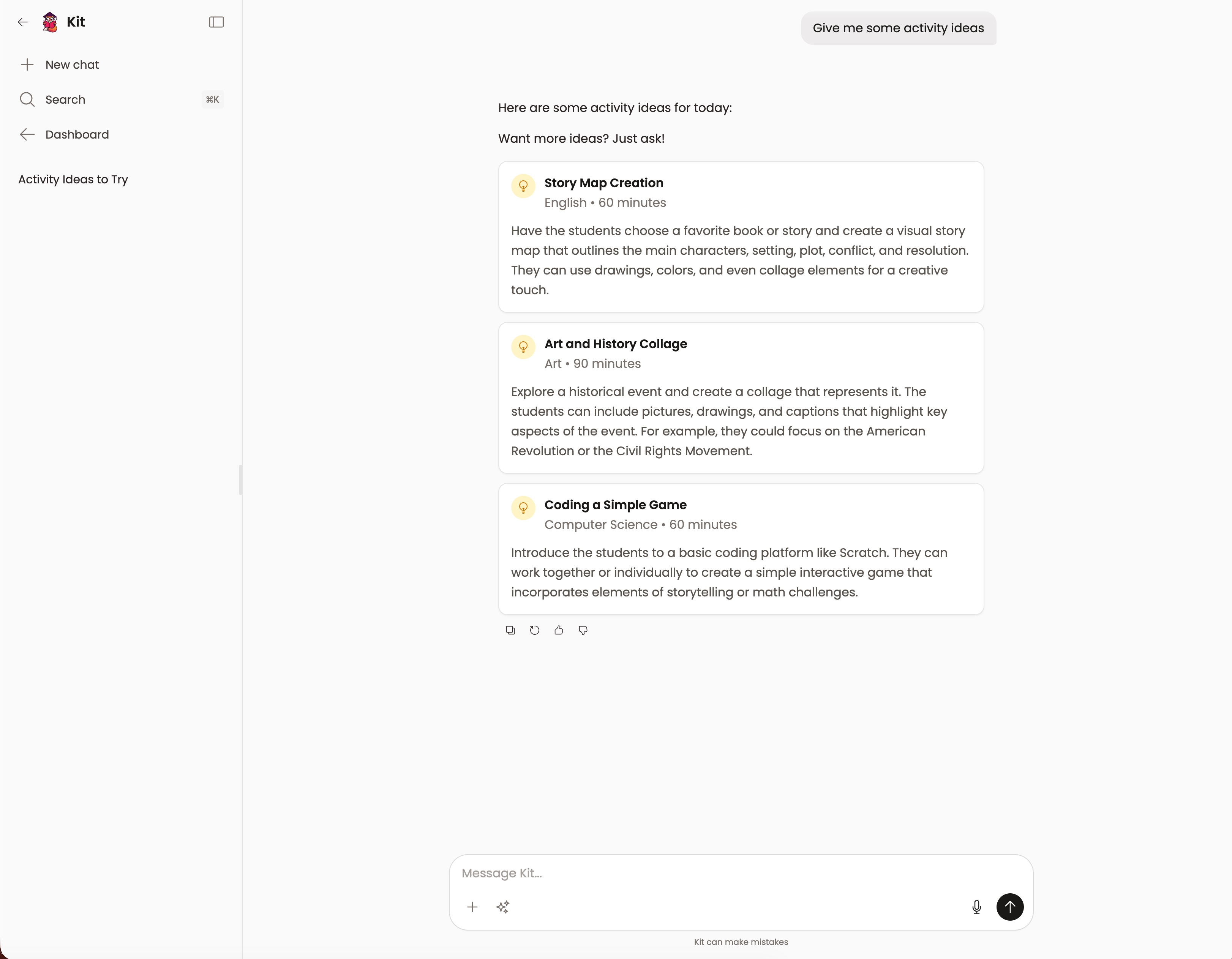
- Daily lesson suggestions
- Get activity ideas based on what you have covered and where the gaps are.
- Weekly lesson plans
- Generate a balanced week across every subject, then edit it to fit your family.
- Progress narratives
- Turn a semester of logs into a written summary for portfolio reviews.
Grades and transcripts
High school records an admissions office will accept.
- Grade tracking
- Record percentages, letter grades, points, or pass/fail, with credit hours per course.
- Course management
- Set up formal courses with codes, semesters, and credits. Flag AP and Honors.
- GPA calculation
- Weighted and unweighted GPA on a 4.0 scale, with AP and Honors weighted the way colleges expect.
- Test scores
- Store SAT, ACT, PSAT, CLT, and AP scores, subscores included.
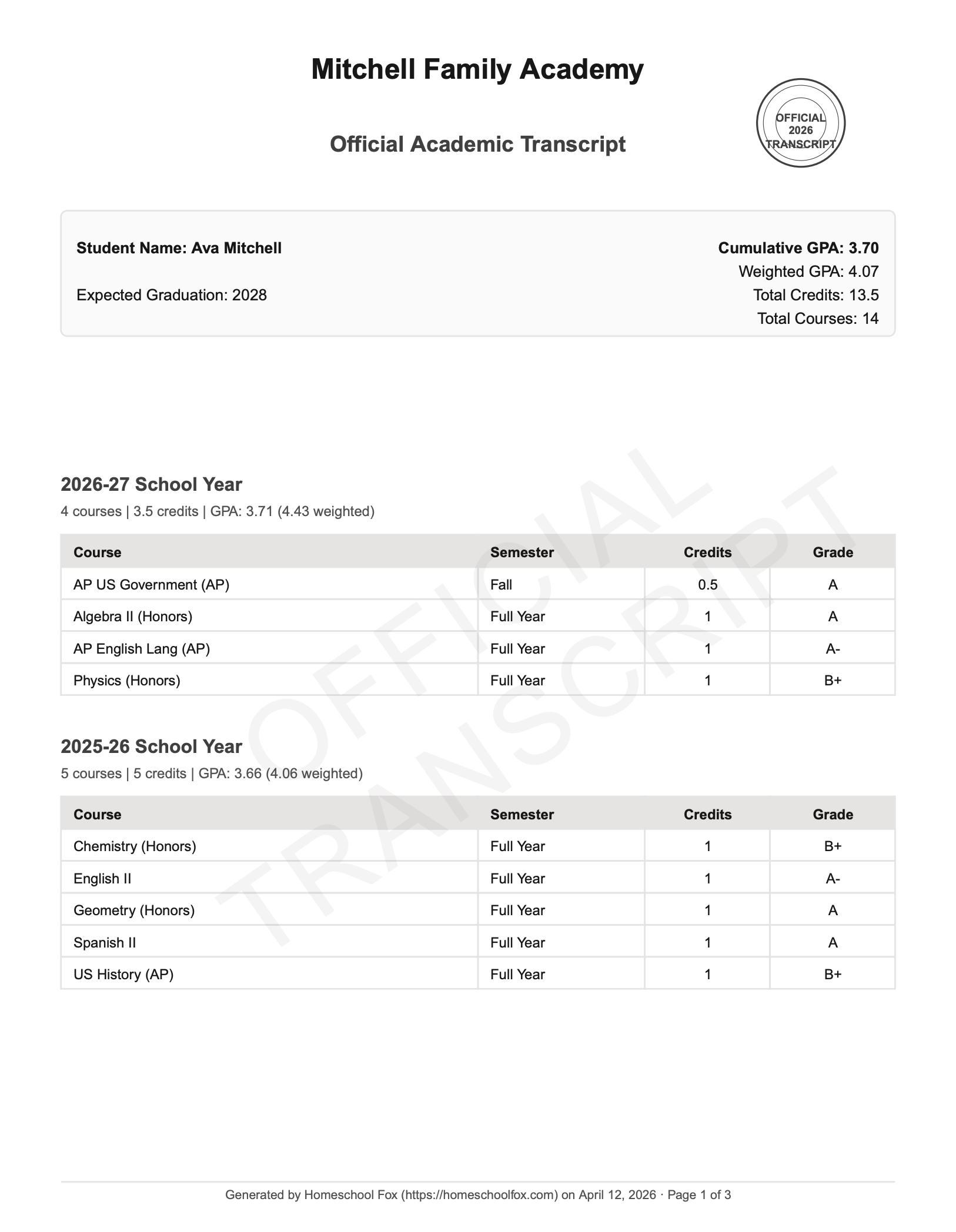
- Transcript builder
- Produce a transcript with courses, grades, GPA, and test scores, and export it to PDF.
- Course history
- Review every course across every school year and watch credits accumulate toward graduation.
Reports and export
The paperwork, ready to print.
- Attendance records
- A printable calendar marking every school day, with the total at the bottom.
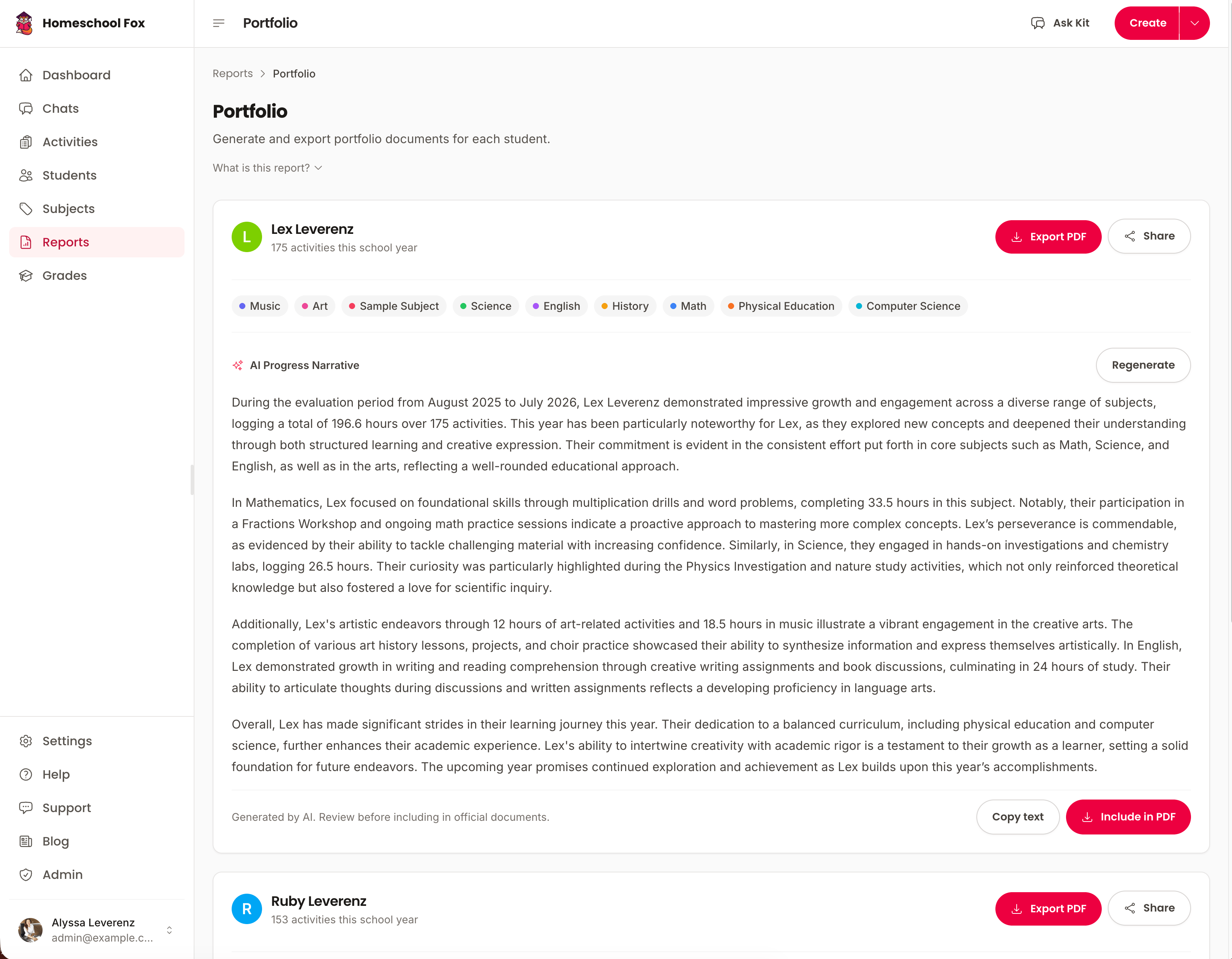
- Portfolio PDF
- Every activity, hours by subject, and a written progress narrative in one document.
- Year-end summary
- Hours, subjects, compliance status, and highlights for the year on a few pages.
- Notice of intent
- Templates for the states that require one, filled in with your details.
- Withdrawal letter
- A school withdrawal letter for each student, ready to edit, print, and deliver.
- Calendar sync
- Subscribe to your activities from Google Calendar, Apple Calendar, or Outlook.
On your phone, at the table, in the car.
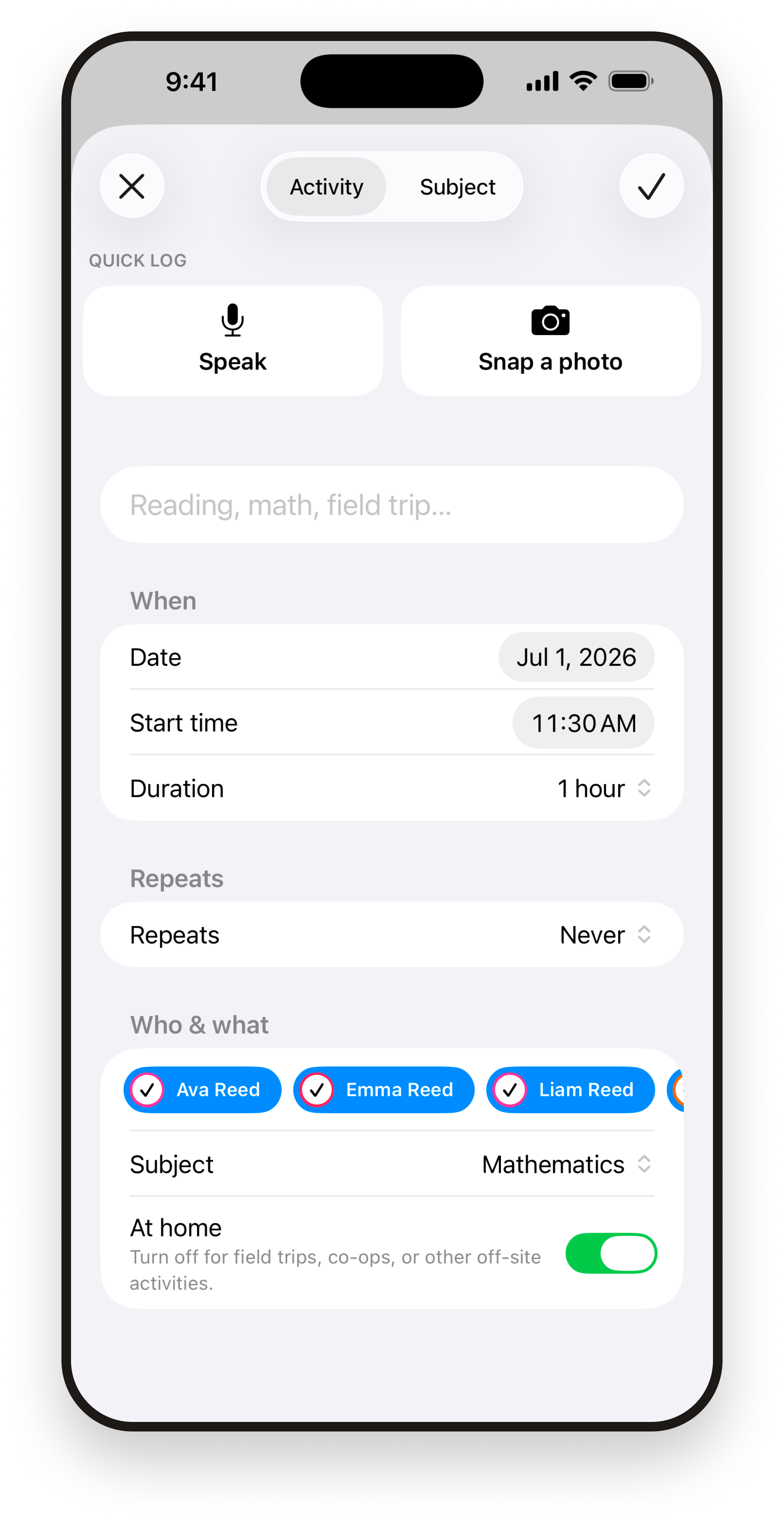
The iPhone and Android apps log by voice and sync with the web app, so the record is the same wherever you open it.


What families say
"Finally, I can prove to my evaluator we're meeting requirements without flipping through my planner and notes app. Everything's in one place now."
Sarah M.
Homeschooling mom of 5, Texas
"The transcript builder saved us hours when our oldest applied to college. Everything was formatted professionally and the GPA calculated automatically."
Jennifer & Mark L.
Parents of 3, Pennsylvania
"As a first-year homeschooler, this app made state requirements so much less scary. I always know exactly where we stand."
Amanda K.
Mom of 2, California
How we compare
See how Homeschool Fox stacks up against spreadsheets, paper logs, and other apps.
Swipe to see all columns →
| Feature | Spreadsheets & Paper | Other Apps | Homeschool Fox |
|---|---|---|---|
| Built-in state compliance | Some states | All 50 states + DC | |
| AI-powered logging | |||
| Voice-to-activity | |||
| AI assistant (ask anything, any time) | |||
| Automatic hour tracking | Manual formulas | ||
| Drag-and-drop calendar | Limited | ||
| Real-time progress dashboard | Basic | ||
| Transcript builder with GPA | Some | ||
| Test scores & credit tracking | Manual | Some | |
| AI lesson suggestions | |||
| Recurring activities | Some | ||
| Catch-up hours for past weeks or months | Manual backfill | ||
| Calendar feed (Google, Apple, Outlook) | Some | ||
| Withdrawal letters & notice-of-intent templates | DIY formatting | ||
| Multiple students | Complex setup | Extra cost | Unlimited, one price |
| Shared access for spouse or co-parent | Shared file | Extra seats | |
| PDF portfolio & reports | DIY formatting | Limited | |
| Install on home screen (PWA) | Web only |