

Test results
West Virginia Homeschool Test Results
Every field on the report traces back to records you either kept or skipped. Here is what West Virginia asks for, when it is due, and how to have the numbers ready ahead of the deadline.
Start tracking freeThe short answer
West Virginia homeschoolers report in grades 3, 5, 8, and 11. The filing is the assessment result itself, and only in those grades.
West Virginia at a glance
Verified September 2026- Required hours
- No state minimum
- Required subjects
- 5 subjects
- Notice
- Required, once
- Testing / evaluation
- Parent's choice (testing, portfolio, or evaluation)
- Recordkeeping
- Required
Jump to the full West Virginia requirements for plain-English detail on each of these.
What West Virginia asks for
The filing is the assessment result itself, and only in those grades. West Virginia requires an academic assessment every year, and you submit the results to the county superintendent after grades 3, 5, 8, and 11, by June 30 (W. Va. Code § 18-8-1(c)(2)(C) and (E)). Families may pick a nationally normed test (acceptable progress means the mean of the five subject scores falls within or above the 4th stanine, the 23rd percentile, or improves over the prior year), public-school testing, a certified teacher's portfolio narrative, or an alternative assessment agreed on with the county.
When it is due
West Virginia wants results in grades 3, 5, 8, and 11. In other years there is nothing to file. The result is due by June 30 of the year the child is tested.
Who reviews it
In West Virginia the filing lands with a district office. Nobody is grading it. The office is confirming that a filing exists and that it's complete, so a plain report that answers every field gets you further than an elaborate one.
Pulling the numbers together
There is nothing to total up. West Virginia asks for the result, not your hours, subjects or work samples. Homeschool Fox keeps those for your own records, and stores the score report or evaluator's letter with the year it belongs to.
If you miss a deadline
A missed deadline in West Virginia is fixable. File as soon as you catch it instead of waiting for the office to ask. Contact them, explain in a sentence, and send what you have. Things get harder when a family goes quiet for a few months, and a report that arrives a week late rarely registers at all. Set a reminder two weeks ahead of each date and the problem stops recurring.
Common mistakes in West Virginia
-
Assessing only in the reporting years
West Virginia requires an assessment every year under § 18-8-1(c)(2)(C). Only the submission skips years: you send results to the county superintendent after grades 3, 5, 8, and 11, by June 30. Assess in the off years too, and keep those results with the rest.
-
Keeping assessment results for one year
West Virginia asks you to hold copies of the assessment for three years. Families clear them out after the next one arrives and end up a cycle short.
-
Assuming the assessment has to be a test
West Virginia lets you satisfy it with a standardized test, the state test, a portfolio review by a certified teacher, or an alternative agreed with the county. The portfolio option suits families who would rather not test a young child.
Getting ready to file in West Virginia
Do these through the year and the report turns into an hour of copying numbers you already have.
-
1
Mark the filing grades now
West Virginia wants results in grades 3, 5, 8, and 11. Note which year each child reaches one.
-
2
Book the test or evaluator early
Test dates and evaluators fill up in spring. Book in the fall of a filing year.
-
3
Keep every result
Keep the score report or the evaluator's letter, dated, even in a year you don't file one.
-
4
Send it and keep proof
Save a copy of what you filed and the date you sent it, the same way you would with your notice of intent.
What this looks like in Homeschool Fox
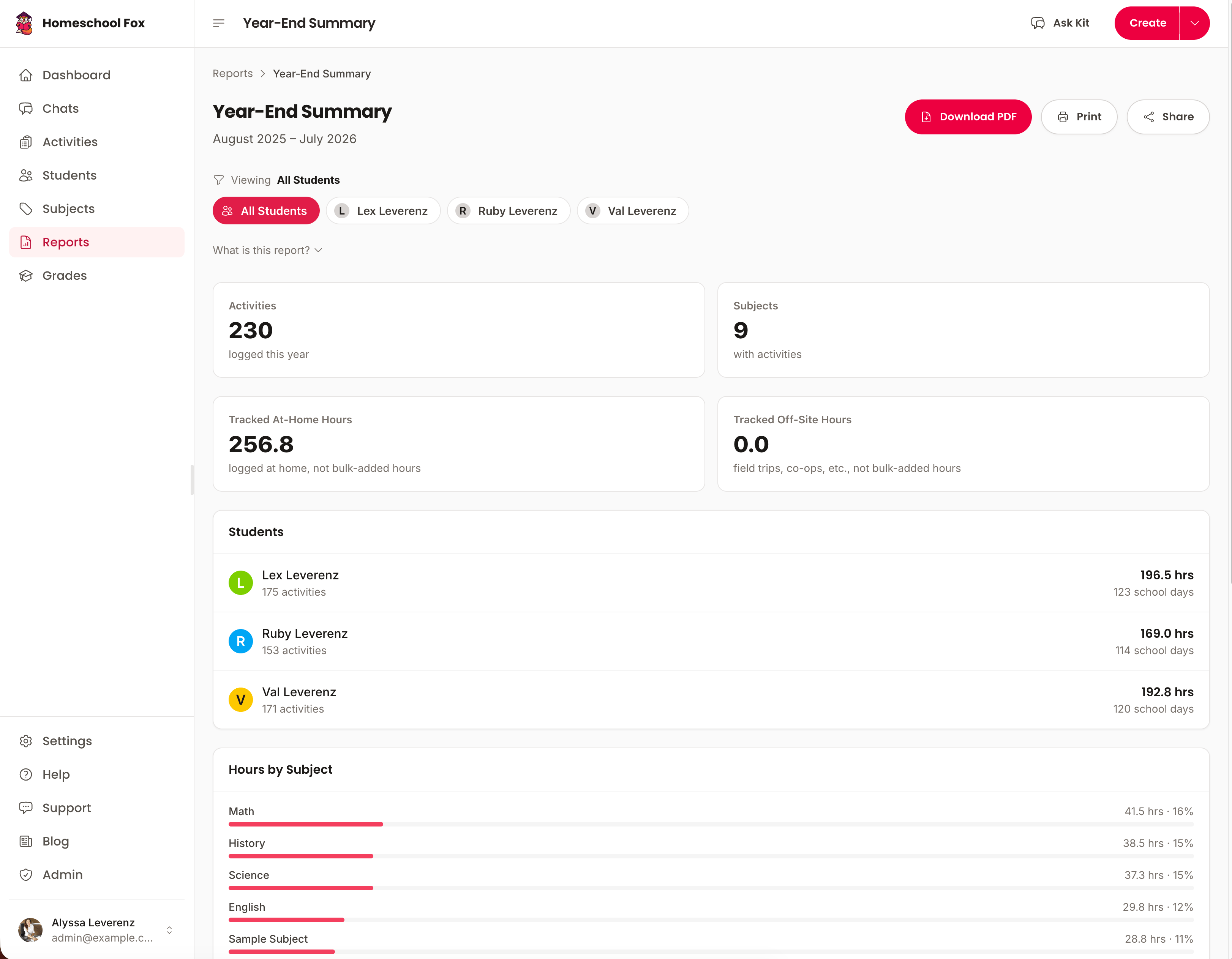
Homeschool Fox rolls your logged activities into a printable West Virginia summary with attendance totals, subject breakdowns, and progress per student already filled in.
Free West Virginia printables
Three ready-to-use PDFs for West Virginia homeschoolers. No account needed.
Templates, not legal advice. Confirm the current rule with your state or district.
What Homeschool Fox tracks for West Virginia
The records West Virginia asks you to keep, plus the rest of your year, in one place. No spreadsheets, no lost notebooks.
- Required subjects
- The records West Virginia asks you to keep
- Parent's choice (testing, portfolio, or evaluation)
- Daily activity logs
- Printable PDF reports
- Progress tracking
- High school transcripts
Last verified September 2026 by Andy Leverenz against West Virginia's own published requirements. See the sources.
Source pages last confirmed live on Nov 2, 2026.
Homeschool Fox is not a law firm and does not provide legal advice. Confirm details with your state or a qualified advisor.
More West Virginia guides
Comparing states? See how all 10 states that require progress reports compare.
- West Virginia Homeschool Requirements Hours, notice, assessment, and subjects at a glance.
- Homeschooling High School in West Virginia Credits, GPA, transcripts, and graduation.
- Record Keeping in West Virginia What to document, how to organize it, and staying compliant.
- How to Withdraw From School in West Virginia The steps, the letter, and timing to avoid truancy issues.
- Moving to West Virginia What to file when you arrive and whether your records transfer.
- Public School Sports in West Virginia Whether homeschoolers can play, what it takes, and who to ask.
- Required Subjects in West Virginia The list, how much time each needs, and proving you taught them.
- West Virginia Letter of Intent Who to file with, when it's due, and a free generator.
- Homeschool Testing in West Virginia What the state asks for, when, and low-score rules.
- ESA & School Choice in West Virginia Funding amounts, who qualifies, and the trade-offs.
Never scramble before a West Virginia deadline again
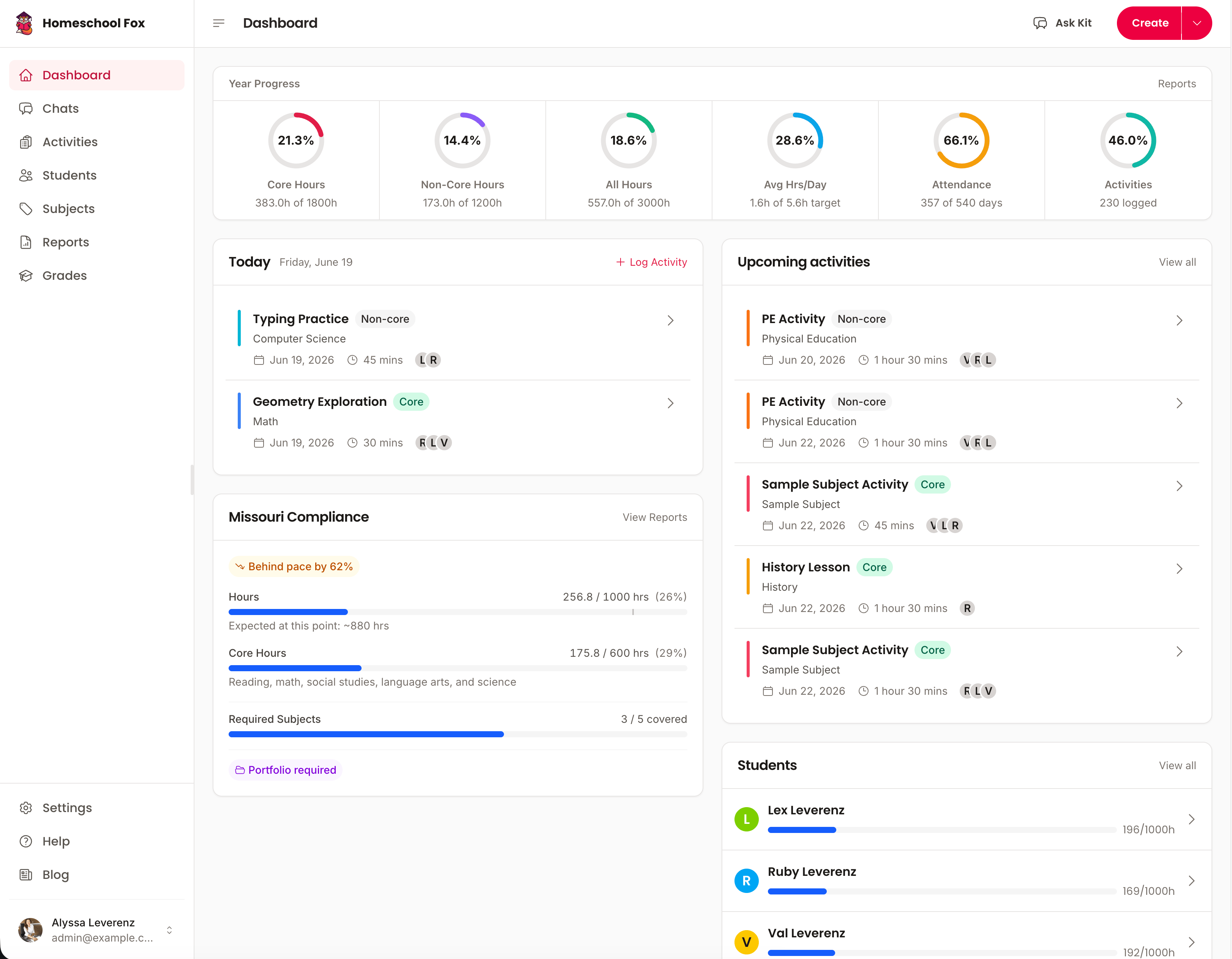
Homeschool Fox keeps the totals current all year and reminds you before each filing date.
Start tracking free14-day free trial. No charge until it ends.