Kit AI Assistant
Chatting with Kit
Learn how to chat with Kit to log activities, ask questions, and get homeschool help.
Last updated August 31, 2026
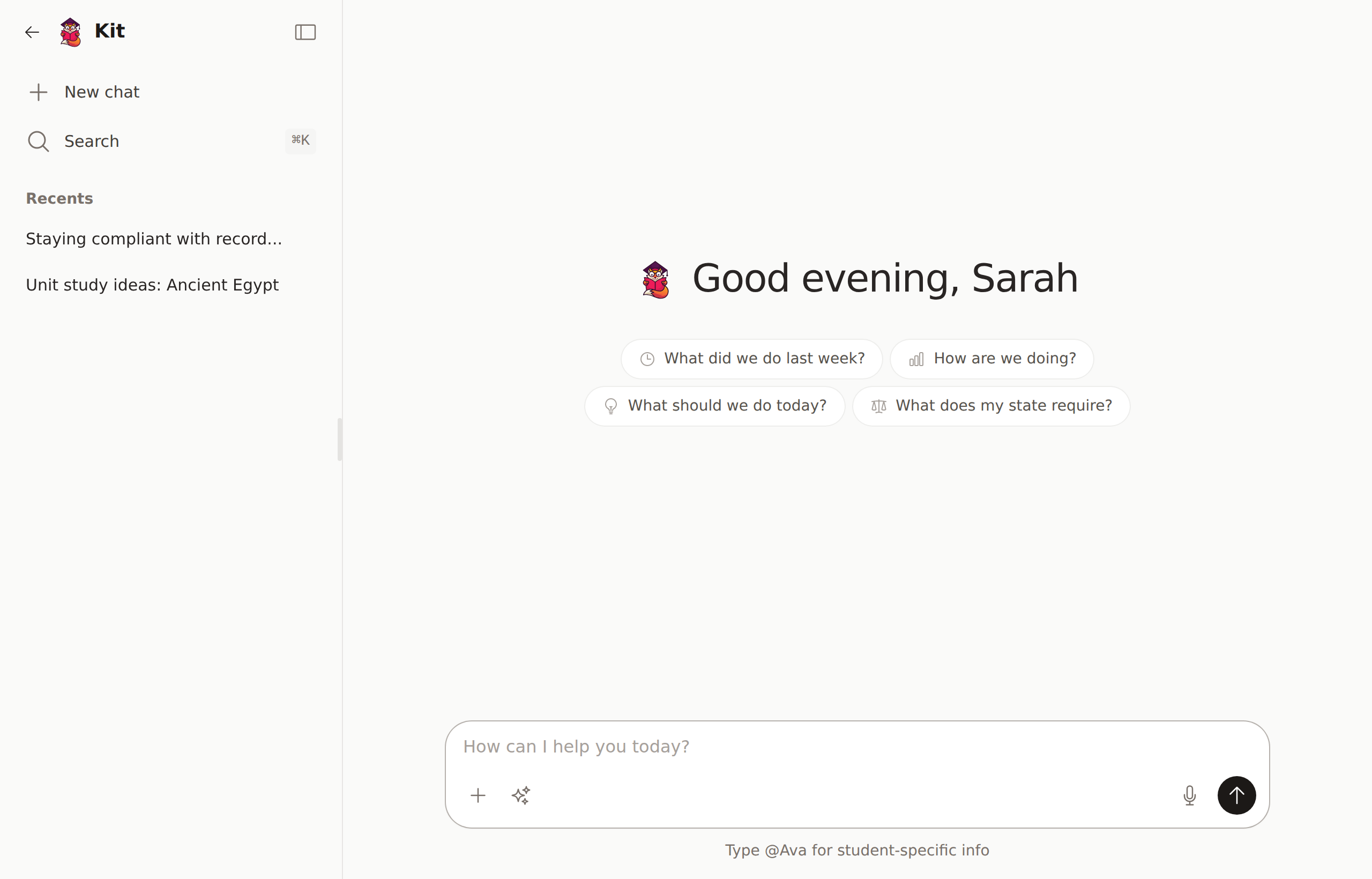
Kit is your AI-powered homeschool assistant. You can chat with Kit just like you'd text a friend - use natural language to log activities, ask questions, and get help.
Requirements
- Premium subscription or active trial
- Monthly AI bucket — 500 AI actions per month on premium, 10 during free trial (resets on the 1st). Every AI feature — chat, activity parsing, voice transcription, course descriptions — counts toward the same bucket.
Check your usage in Settings → Kit (your AI helper). Need more? Purchase additional credits starting at $3 for 50.
Starting a Chat
There are a few ways to reach Kit — pick whichever is easiest from wherever you are:
- Ask Kit button (sparkle icon) in the top of every page — opens a quick mini-chat right where you are, no navigating away.
- Chats link in the sidebar — opens the full chat page with your conversation history.
- Chat with Kit on your dashboard.
- Ask Kit about this buttons on student pages, the activities list, reports, and help articles — opens the mini-chat with a relevant prompt already filled in.
The mini-chat and the full chat share the same conversation history, so anything you start in the mini-chat is waiting for you on the full page under Chats.
Waiting for a Response
Kit saves your request before it starts working. You can leave the chat, switch apps, or return later without losing the response. A pending message reconnects automatically when you return.
Use Stop generation on a pending response when you no longer need it. Kit will stop queued work or discard an answer that was already being generated.
Editing a question or regenerating an answer uses the same saved-response process, so those requests also survive navigation and app suspension.
What Kit Can Do
Log Activities Quickly
Just describe what you did in plain English:
- "We did math for an hour this morning"
- "Read Charlotte's Web from 2-3pm"
- "Science experiment about volcanoes, 45 minutes"
Kit will parse your description and create activities automatically.
Log Multiple Activities at Once
Describe your whole day:
"Today we did math from 9-10, then reading until 11. After lunch we worked on our history project for 2 hours and finished with piano practice."
Kit will create separate activities for each subject.
Answer Questions
Ask Kit about your homeschool:
- "How many hours have we logged this month?"
- "What subjects need more time?"
- "Show me Sarah's progress"
Get Suggestions
Ask for ideas:
- "What are some hands-on science activities?"
- "Suggest a book for a 3rd grader"
- "Ideas for teaching fractions"
Managing Conversations
Rename a Conversation
Click the conversation title at the top of the chat to rename it. Helpful for organizing past conversations by topic or date.
Delete a Conversation
Open the conversation, then click the menu and select Delete. This permanently removes the conversation and all messages in it.
View Past Conversations
Click Chats in the sidebar to see all your conversations. Click any conversation to continue where you left off.
Tips for Best Results
- Be specific about time - Include start/end times or duration
- Mention the subject - Kit will match to your existing subjects
- Include students - Say who participated if it's not everyone
- Use natural language - No special format needed