Students
Managing Students
Add, edit, and organize student profiles in your Homeschool Fox account.
Last updated August 31, 2026
Learn how to add students, update their information, and organize your homeschool family.
Adding a New Student
- Navigate to Students in the sidebar
- Click Add Student
- Fill in the student's details:
- Name
- Grade level
- Profile photo (optional)
- Click Save
Editing Student Information
To update a student's profile:
- Go to Students
- Click on the student's name
- Click Edit or the settings icon
- Update the information
- Save your changes
Student Goals
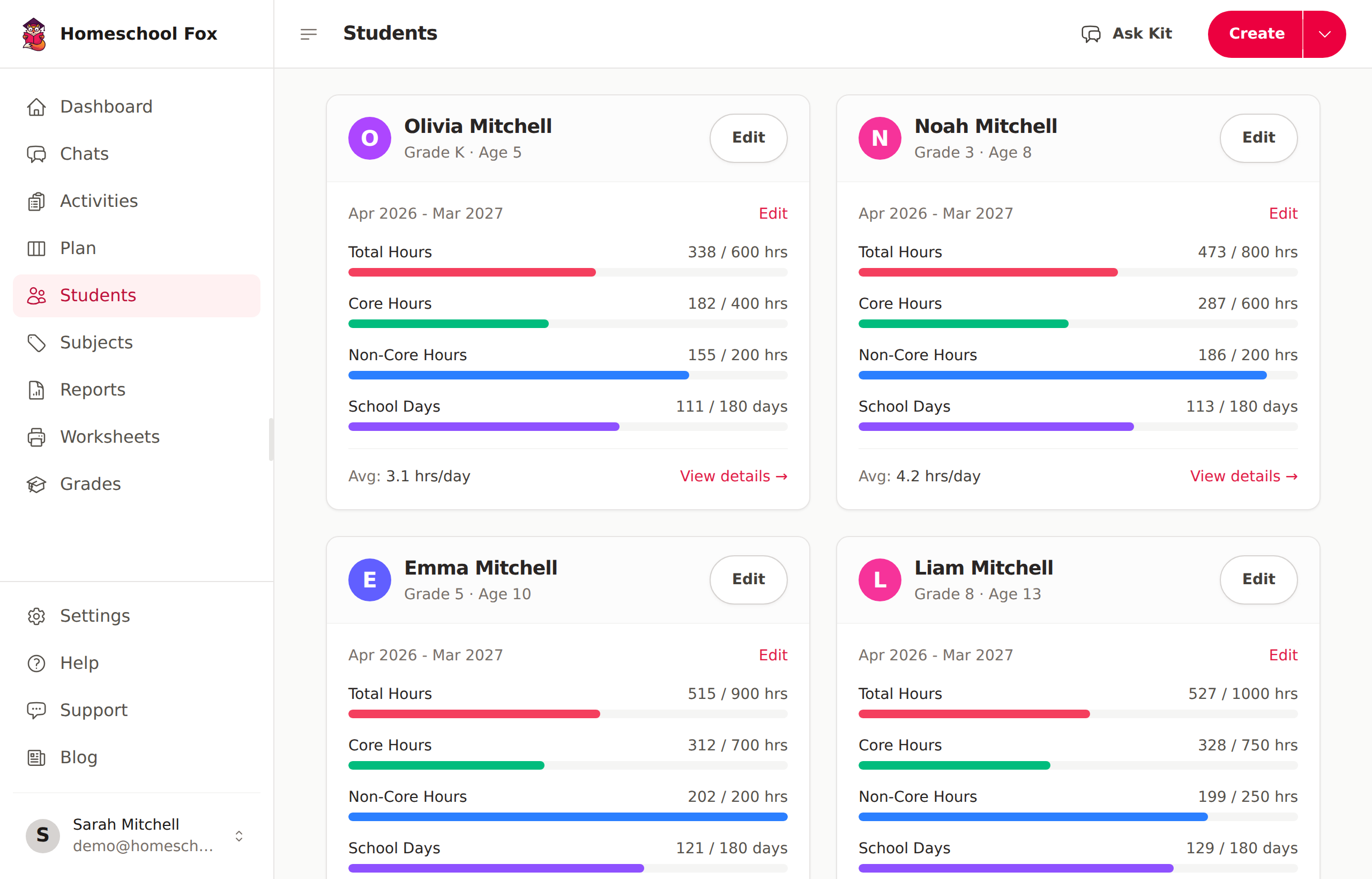
Each student can have yearly goals for:
- Total hours - Overall learning time
- Core hours - Core subject hours (Math, Language Arts, Science, Social Studies)
- Non-core hours - Electives and enrichment
- Attendance days - Days with logged learning
Viewing Progress
On each student's page, you can see:
- Hours logged this year
- Progress toward goals
- Recent activities
- Subject breakdown
Removing a Student
If a student graduates or no longer needs tracking, you can delete their profile from the student's edit page. Deleting a student will permanently remove their profile, activity associations, goals, and progress data. This cannot be undone.