Reports
Generating Reports
Create professional PDF reports for compliance, attendance tracking, and portfolio documentation.
Last updated August 31, 2026
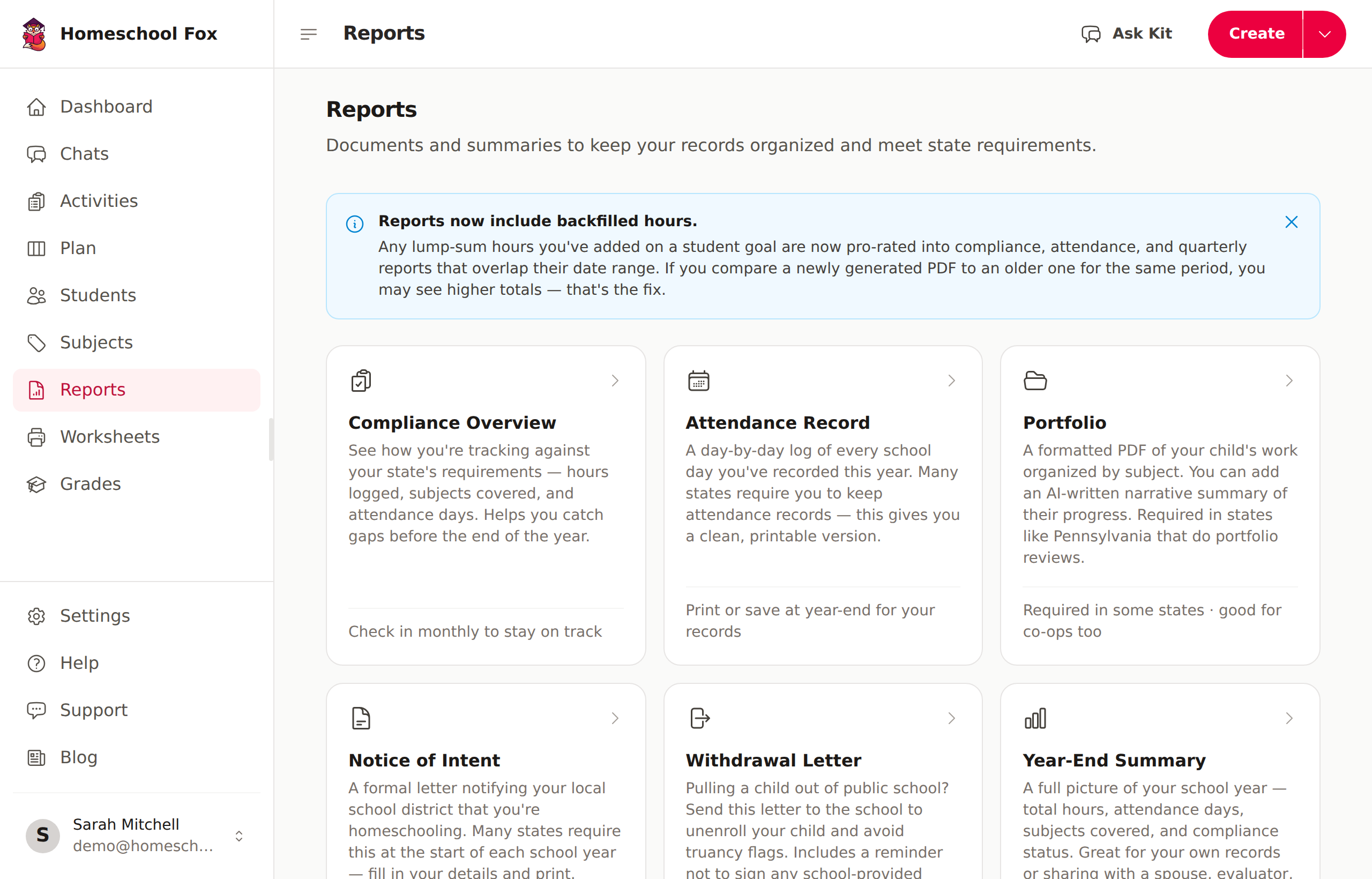
Homeschool Fox makes it easy to generate professional reports for your homeschool documentation needs.
Requirements
- Premium subscription required - PDF reports are a Premium feature
- At least one student - You need students with logged activities
- Logged activities - Reports are generated from your activity data
Available Reports
Compliance Report
Shows your progress toward state requirements:
- Total hours logged
- Core vs. non-core breakdown
- Days of attendance
- Subject distribution
Attendance Report
A detailed log of school days:
- Daily activity summaries
- Hours per day
- Monthly breakdown
- Year-to-date totals
Portfolio Report
Comprehensive documentation of learning:
- Activity descriptions
- Subject summaries
- Attached photos and documents
- Perfect for evaluations
Year-End Summary
An overview of the entire school year:
- Goals vs. actual progress
- Subject hours breakdown
- Highlights and achievements
Creating a Report
- Go to Reports in the sidebar
- Select the report type
- Choose the student(s) to include
- Select the date range
- Click Generate Report
- Download as PDF or print directly
Sharing Reports
You can share any report with a public link — useful for sending to evaluators, umbrella schools, or school districts without giving them access to your account.
- Generate a report
- Click the Share button
- Copy the link
Shared links:
- Are read-only — recipients can view and download the PDF but cannot edit anything
- Expire after 90 days automatically
- Can be revoked at any time by clicking the share button again and disabling the link
Tips
- Generate reports regularly to catch any gaps
- Use reports for umbrella school submissions
- Keep PDF copies for your records
- Use share links to send reports to evaluators without giving account access