Activities
Worksheets
Generate printable practice worksheets — daily skill sheets or custom AI-built sheets — and get them emailed on a schedule.
Last updated August 31, 2026
Worksheets give each student a fresh, printable practice sheet — either an automatic daily skill sheet or a custom sheet built from your own prompt.
Requirements
- Premium subscription — Worksheets are a premium feature
- At least one student — sheets are generated per student
Daily Skill Sheets
Click Worksheets in the sidebar to open the hub. Every student gets a deterministic sheet for each date: problems are matched to the student's grade level, and the skill rotates day to day so practice stays varied. Reprinting the same date always produces the same sheet — nothing to lose if the printer jams.
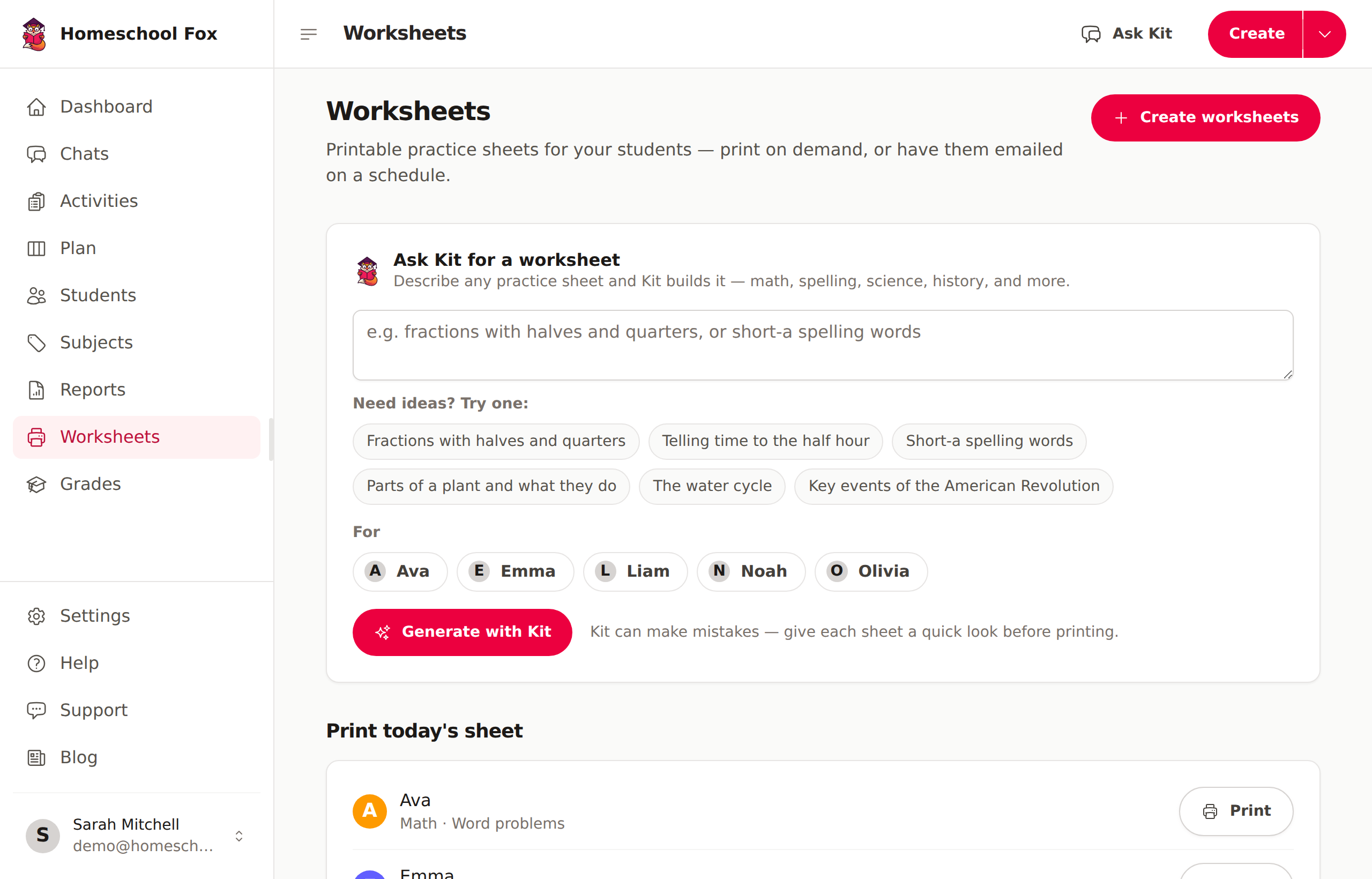
The Print today's sheet section lists each student's sheet for the day — hit Print and go. Click Create worksheets to open the build wizard and choose:
- Subject — Math or Language Arts
- Problem count — 6, 8, 10, or 12 problems per sheet
Then print right away, or set up a subscription (below).
Custom AI Worksheets
Want to practice something specific? Use the Ask Kit for a worksheet box — describe any school topic in plain language:
"Two-digit multiplication word problems about baking"
- On the Worksheets page, pick a student under For
- Type what you'd like to practice and click Generate with Kit
- Kit writes the problems in the background — the sheet appears on the page when it's ready, and you can print it like any other worksheet
Give each AI sheet a quick look before printing — Kit can make mistakes.
Custom worksheets use AI, so each one counts toward your monthly AI allowance.
Worksheet Subscriptions
Have sheets emailed to you automatically so they're waiting each morning:
- Go to Worksheets and open the build wizard
- Pick the students, subject, and problem count
- Choose a frequency — daily, weekdays, or weekly (pick the day)
- Choose the hour you'd like the email to arrive — delivery follows your own time zone
- Save the subscription
You can change or cancel the subscription anytime from the Worksheets page. Each email links to that day's print-ready sheets.
Printing
Sheets render in a clean print layout. Use Print on any worksheet, or the print view to batch several students' sheets at once.